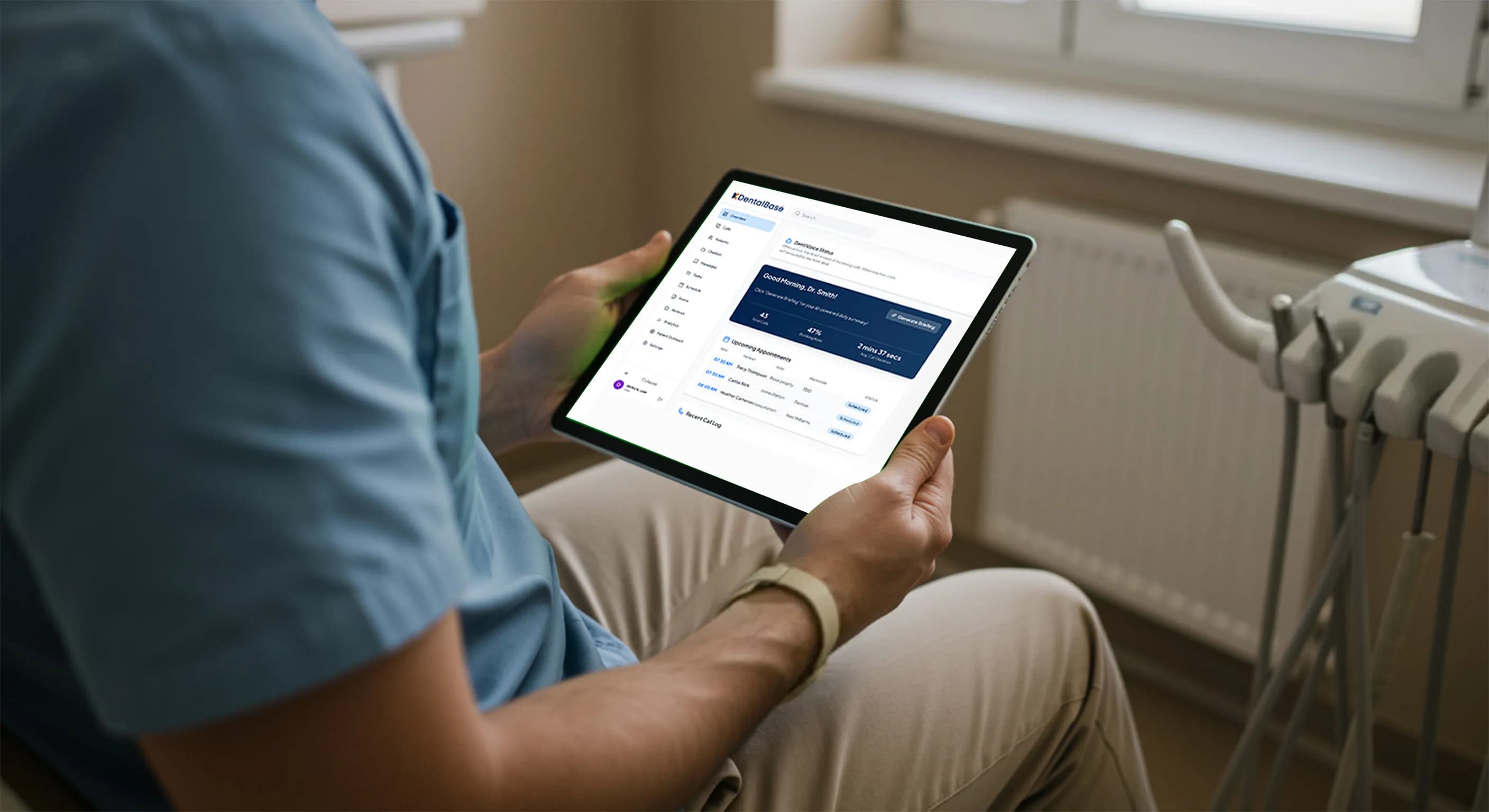
How Dental Practices Scale Without Overloading the Front Desk

Learn how dental practices scale without overloading the front desk using AI voice automation, shared multi-location call routing, and smart scheduling.
Share:
Table of contents
Introduction
A dental practice answering 120 calls per day typically misses 20–30 of them during peak hours. Industry data from 2024 shows that missed calls translate into nearly 18% lost appointment opportunities over 30 days. For growing practices, this problem compounds quickly. More patients mean more calls, more scheduling changes, more questions—and a front desk that simply cannot stretch any further. Understanding how dental practices scale without overloading the front desk starts here, with the phones.
To frame the discussion clearly, this guide focuses on how dental practices scale without overloading the front desk by redesigning communication workflows. Rather than adding headcount, the emphasis is on absorbing higher call volume, scheduling complexity, and patient inquiries through structured automation that supports—not replaces—your team.
This is the reality behind scaling a dental practice without overwhelming the front desk. Growth is exciting, but it often exposes operational cracks. Phones ring nonstop. Team members juggle check-ins, insurance questions, and scheduling while trying to maintain a calm, welcoming environment. After-hours calls go to voicemail, and next-day callbacks pile up. Patient experience suffers even when clinical care remains strong.
Many owners assume the only solution is hiring another receptionist. Yet labor costs for front-desk roles rose 21% between 2021 and 2024, while turnover remains high. Scaling by adding people alone creates diminishing returns. Instead, leading practices are redesigning communication workflows so growth does not automatically mean more pressure on the front desk.
This article breaks down practical, proven ways dental offices are scaling smarter. You will see where bottlenecks form, how automation relieves them, and why AI voice assistants in dental practices are becoming a core part of sustainable growth. The focus stays on operations—not medical claims—so you can decide what fits your practice today and where to invest next.
Why Growth Breaks the Traditional Front Desk Model
As patient volume increases, the front desk becomes the first system to feel strain. Research into dental office workflows shows that front-desk teams handle an average of 60% of all non-clinical tasks, ranging from phone calls to insurance verification. When growth accelerates, those tasks increase faster than staff capacity.
As practices grow, the front desk also becomes a bottleneck for information flow. Front-desk staff often act as translators between patients, clinicians, and insurance providers. When volume increases, this role becomes fragmented. Messages are relayed verbally, written on paper, or stored in inboxes that are checked inconsistently. Over time, this leads to delays in callbacks and uneven patient communication.
Additionally, growth often introduces more variability. New providers, expanded services, or extended hours all create new call scenarios. Without support systems, front desks rely on individual experience rather than standardized processes. This variability makes training harder and increases dependency on specific team members, which is risky during absences or turnover.
Call Volume Scales Faster Than Staffing
A single new provider can add 25–40 additional calls per day. These calls are not evenly distributed; they cluster around lunch hours and late afternoons. During these peaks, staff are already checking patients in and out. Data from dental operations studies indicates that during peak times, front desks answer only about 70% of inbound calls.
Multitasking Leads to Errors
When receptionists juggle phones and in-person patients, accuracy drops. Appointment errors, double bookings, and missed follow-ups become more common. A 2023 productivity analysis found that multitasking front-desk staff made scheduling errors 32% more often than when calls were handled separately.
After-Hours Demand Keeps Growing
Patients increasingly expect the same convenience from dental offices that they get from other services. Nearly 41% of appointment-related calls occur outside standard business hours. Traditional front desks cannot cover this demand without overtime or burnout. Practices that route this demand well treat it as planned coverage, not an afterthought; a weekend and holiday coverage framework keeps it from becoming overtime.
These pressures explain why scaling with the same front-desk model rarely works. To understand how dental practices scale without overloading the front desk, you must first accept that the model itself needs support—not just more people.
How AI Voice Assistants in Dental Practices Reduce Call Pressure
One of the most effective changes practices are making is adding a communication layer that absorbs routine calls. AI voice assistants in dental practices handle repetitive conversations that previously consumed staff time.
For practice owners weighing how to grow without overloading the front desk, call handling is often the fastest lever to pull. Phone traffic grows faster than almost any other workflow, and without automation, it quietly limits growth long before clinical capacity is reached.
Another operational advantage is call prioritization. AI voice assistants in dental practices can be configured to recognize urgent versus routine requests. For example, a patient reporting pain can be flagged for immediate follow-up, while routine rescheduling requests are handled automatically. This ensures staff attention is directed where it is most needed without relying on manual call screening.
Over time, practices also gain visibility into call patterns. Dashboards reveal peak call times, common questions, and abandonment rates. These insights allow owners to make informed staffing and scheduling decisions instead of guessing based on anecdotal feedback.
Think of these capabilities as a connected voice stack rather than a single feature: inbound answering, overflow routing, scheduling, reminders, and after-hours coverage operating as one layer on top of your practice management software. When those pieces share the same data, a missed call no longer means a lost patient, and a quiet location can quietly back up a busy one. You can see how the pieces fit by reviewing the complete phone coverage guide and the metrics that matter in dental call analytics.
What Calls Can Be Handled Automatically
Industry case studies show that 55–65% of inbound dental calls fall into predictable categories: - Appointment scheduling or rescheduling - Office hours and location questions - Insurance acceptance inquiries - Post-visit follow-up confirmations
When these calls are handled automatically, the front desk regains focus. A 2024 operational survey found practices using AI call handling reduced live call volume by 38% within the first three months.
Consistency Improves Patient Experience
Unlike voicemail, AI voice systems answer immediately. Patients hear a friendly, consistent response at any hour. That consistency matters. Patient satisfaction scores related to phone experience improved by 22% in practices that eliminated voicemail-only after-hours coverage.
Data Capture Without Manual Entry
Another overlooked benefit is structured data capture. Calls handled by AI voice assistants in dental practices log appointment requests, reasons for visits, and call outcomes directly into practice systems or dashboards. This reduces sticky notes, memory-based follow-ups, and end-of-day catch-up work.
Rather than replacing staff, these systems create breathing room. The front desk becomes calmer, more accurate, and more available for patients standing right in front of them.
How Does AI Reduce Front-Office Workload in Multi-Location Practices?
AI reduces front-office workload in multi-location practices by centralizing call handling, scheduling, and follow-ups into one shared voice stack so each location is not staffed for its own peak independently. Routine calls are absorbed automatically, and overflow routes to whichever team has capacity.
In a multi-location group, the front-desk problem is not just volume but fragmentation. Each office answers its own phones, keeps its own waitlist, and follows its own informal rules. When one location is slammed at 8 a.m. and another sits quiet, the busy desk still drops calls while idle staff cannot help. A shared voice stack closes that gap. Calls are answered the same way at every site, routed by availability rather than geography, and logged into one record instead of seven scattered inboxes.
This is where a structured overflow process matters more than headcount. Instead of hiring a receptionist per location to cover spikes, groups let automation handle predictable calls and reserve human attention for exceptions. The result is a flatter workload curve: the front desk no longer expands one hire at a time with every new operatory or provider.
The core shift
Single-site practices add staff to match growth. Scaling groups add shared workflow capacity first, then add people only where human judgment is genuinely required.
For groups comparing approaches, it helps to weigh in-house, answering service, and AI coverage models side by side before committing. The right mix usually changes as a group grows from two locations to five.
| Front-desk pressure point | Hire-more-staff approach | Workflow-redesign approach |
|---|---|---|
| Peak-hour call spikes | Add a receptionist; idle capacity off-peak | Automation absorbs routine calls instantly |
| After-hours demand | Overtime or missed calls to voicemail | 24/7 coverage captures requests automatically |
| Multi-location load | Each site staffed for its own peak | Shared routing balances load across sites |
| Scheduling errors | More multitasking, more mistakes | Consistent rules reduce double-bookings |
How Can You Streamline Scheduling Without Adding Staff?
Scheduling is the single largest time drain at the front desk. Studies show receptionists spend up to 45% of their day managing appointments. Scaling that workload manually is inefficient.
Scheduling automation also supports fairness and consistency. Automated systems apply the same rules every time, such as provider availability, appointment length, and buffer times—reducing subjective decisions that can lead to overbooked days or uneven workloads. This consistency becomes increasingly important as practices add providers or operate across multiple locations.
From a patient perspective, faster scheduling reduces friction. Patients who can secure an appointment without waiting on hold are more likely to follow through, particularly for preventive care. This contributes to steadier schedules without increasing pressure on front-desk teams.
Automated Booking and Rescheduling
Modern scheduling tools allow patients to book, cancel, or reschedule appointments through voice or digital channels. Practices using automated scheduling reported a 27% reduction in inbound scheduling calls.
For example, a two-provider practice in Texas implemented automated scheduling alongside AI voice assistants in dental practices. Within 60 days, same-day cancellations were rebooked 19% faster because open slots were filled automatically from waitlists.
Confirmation and Reminder Automation
Missed appointments hurt growth. Industry data from 2024 shows automated reminders reduced no-shows by 43% compared to manual reminder calls alone. These reminders free staff from repetitive outbound calls while stabilizing the schedule.
Integration with Existing Systems
The key is integration. Scheduling automation works when it connects directly to your practice management software. When done correctly, staff do not need to reconcile calendars or double-check availability.
This is a critical part of scaling front-desk capacity without adding pressure to your team by removing the manual steps that multiply as patient volume grows.
Does Front-Desk Automation Fit Every Dental Practice Size?
Front-desk automation fits practices of every size, but the right configuration changes with scale. A solo office needs after-hours and overflow coverage, while a multi-location group needs centralized routing and shared scheduling. The underlying scalable dental front desk approach stays the same; only the depth of deployment grows.
Practice owners often ask whether a voice stack built for a busy group is overkill for a small office, or whether a tool sized for a solo practice can keep up as they expand. Both concerns point to the same answer: scalability should be designed in from the start. A sizing guide for solo and small practices shows how a single doctor can start with overflow and after-hours handling, then layer in scheduling and recall automation as volume climbs, without ripping out the system later.
For larger groups, the same platform extends rather than restarts. Calls that once died in a single voicemail box now flow into a shared queue, and a patient communication software buyer guide can help match features to the number of locations and providers you actually run. The goal of DentiVoice is to make that path continuous, so a practice that starts small never has to migrate platforms just because it grew.
Is your front desk ready to scale?
20-30
calls missed per day at ~120 daily call volume during peaks
~41%
of appointment-related calls land outside business hours
~45%
of a receptionist's day spent managing appointments
60%
of non-clinical tasks routed through the front desk
Figures reflect commonly cited dental operations benchmarks and are directional, not practice-specific.
Front Desk Efficiency Through Dental Office Automation
Phone calls are only part of the equation. Growth exposes inefficiencies across the entire front-desk workflow.
When owners ask how to scale a busy practice without overloading the front desk, the answer usually lies in stacking small efficiency gains. Each automated step may save only minutes, but together they prevent the front desk workload from expanding linearly with patient growth.
Automation also improves internal communication. When intake forms, insurance data, and follow-up notes are centralized digitally, front-desk staff spend less time answering internal questions from clinical teams. This reduces interruptions and allows everyone to work from the same up-to-date information.
Importantly, these tools support—not replace—human judgment. Staff remain responsible for complex cases and patient relationships, while automation ensures routine steps are completed reliably and on time.
Digital Forms and Pre-Visit Data Collection
Practices that shifted to digital intake forms reduced check-in time by an average of 9 minutes per patient. Over a full day, that can equal more than an hour of regained staff capacity.
Insurance Verification Automation
Insurance questions account for nearly 15% of front-desk interactions. Automated eligibility checks performed before appointments reduce surprise billing conversations and shorten check-in lines.
Follow-Ups and Recalls
Automated follow-ups for treatment plans and recalls improve consistency. Research into recall systems found that automated outreach increased reappointment rates by 18% over manual reminder calls.
When layered together, these tools change the nature of front-desk work. Staff move from constant reaction to proactive coordination, supported by AI voice assistants in dental practices and related automation.
Real-World Scaling Scenarios from Growing Practices
Seeing how these changes play out helps clarify their value.
Scenario 1: Single-Location Growth
A suburban practice added one hygienist and saw call volume jump 30%. Instead of hiring, they implemented AI call handling. Missed calls dropped from 22 per week to 4, and staff reported less end-of-day backlog.
Scenario 2: Multi-Location Expansion
A two-location group struggled with centralized scheduling. By routing calls through AI voice assistants in dental practices, they standardized responses and reduced inter-office call transfers by 41%.
Scenario 3: High After-Hours Demand
An urban practice with extended hours found that nearly half of new patient calls came after 6 p.m. Automated call handling captured those inquiries, leading to a measurable increase in next-day bookings.
These examples illustrate how dental practices scale without overloading the front desk when communication no longer depends entirely on human availability.
Scaling a dental practice does not have to mean overwhelming your front desk. The most successful offices rethink communication before adding headcount.
Three takeaways stand out. First, growth exposes front-desk bottlenecks faster than any other system. Ignoring them leads to missed calls, errors, and frustrated patients. Second, automation, especially AI voice assistants in dental practices, absorbs repetitive work that drains staff energy. Third, thoughtful implementation allows teams to focus on high-value patient interactions instead of constant multitasking.
The practices that scale most smoothly share one habit: they review their call data before they hire. Start by measuring missed calls and after-hours demand, then decide which workflows to automate first. For a fast benchmark, the missed-call cost breakdown shows what those gaps are worth in real bookings.
Further Reading
These resources go deeper on the workflows, models, and benchmarks behind scaling a dental front desk without adding pressure to your team.
- The True Cost of Missed Dental Calls - quantify what unanswered calls cost your practice before you invest in coverage.
- Why Dental Voicemail Loses Patients - why after-hours voicemail leaks new-patient demand, and what to use instead.
- ADA Practice Management resources - American Dental Association guidance on running and growing a dental practice.
- CDC Oral Health - federal data and context on oral health and dental care access in the U.S.
Ready to Evaluate AI Reception for Your Practice
If you are mapping out how to grow without overloading your front desk, a practical next step is to review one week of call data and identify where calls go unanswered or consume the most staff time. From there, explore whether after-hours coverage, automated scheduling, or follow-up automation could relieve pressure.
Learn how DentiVoice supports dental teams with call handling, scheduling, and patient follow-ups so growth feels manageable, not chaotic.
Frequently Asked Questions
They scale by redesigning communication workflows instead of adding headcount. Automation absorbs routine calls, scheduling, and reminders so call volume can climb without staff workload rising at the same rate, which keeps the front desk calm and patient experience steady as the practice grows.
AI centralizes call handling, scheduling, and follow-ups into one shared voice stack across every site. Calls route by availability rather than geography, so a quiet location can back up a busy one instead of each office being staffed independently for its own peak demand.
Yes. Solo offices typically start with overflow and after-hours coverage, while multi-location groups add centralized routing and shared scheduling. The same scalable dental front desk approach grows with the practice, so a small office never has to migrate platforms simply because it expanded.
A voice stack is the connected layer of inbound answering, overflow routing, scheduling, reminders, and after-hours coverage that sits on top of your practice management software. Because each piece shares the same data, a missed call no longer means a lost patient or duplicate manual entry.
No. AI voice assistants support staff by handling repetitive, predictable calls such as scheduling and office-hours questions. Team members stay responsible for exceptions, complex cases, and in-person patients, so automation creates breathing room rather than removing roles from the front desk.
Yes. They answer calls around the clock and capture appointment requests that would otherwise reach voicemail and be lost overnight. Since a large share of appointment calls arrive outside business hours, this coverage protects new-patient demand without forcing staff into overtime.
Most modern systems connect directly with existing practice management software, so staff do not have to reconcile separate calendars. Proper integration reduces double entry and scheduling errors, which becomes more valuable as a practice adds providers or operates across multiple locations.
Sources & References
- 1
- 2
- 3
- 4
- 5
Topics
Was this article helpful?
Written by
DentalBase Team
Expert dental industry content from the DentalBase team. We provide insights on practice management, marketing, compliance, and growth strategies for dental professionals.